Play Crumb & Cup in your browser
Harvest wheat and coffee beans, bake the bread, stock the counters and serve the customers in the queue; spend what you earn to grow the corner bakery. The browser version needs no install and no account and has no ads; your progress is kept only in this browser.
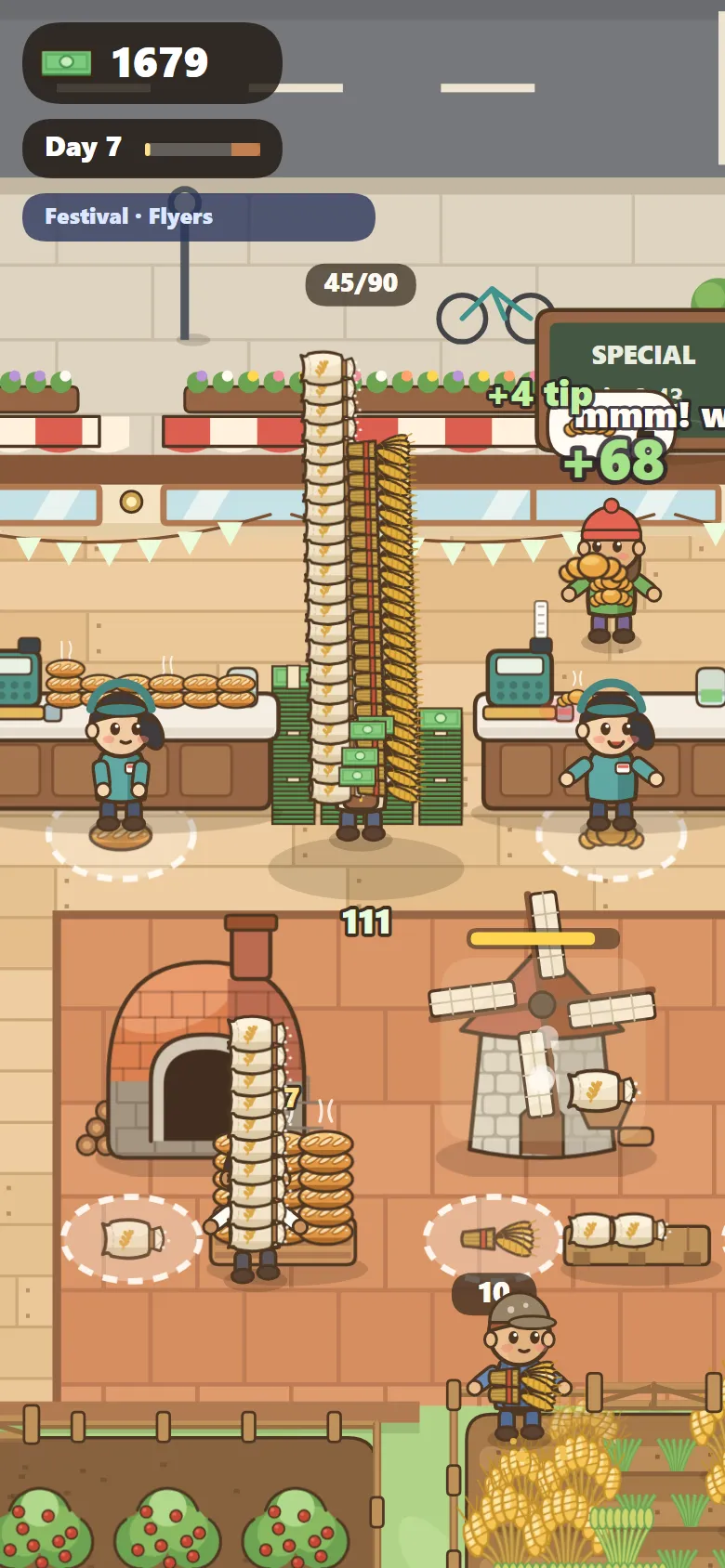
How do you play?
- 01Hold and drag with your finger or cursor to walk; WASD or the arrow keys work on a keyboard.
- 02Harvest wheat and coffee beans. The mill makes flour, the oven bakes bread, a table makes croissants and the espresso machine makes coffee.
- 03Stock the counters, serve the queue and collect the money. Spend it on the squares on the floor to unlock fields, workers, tables, a drive-thru and upgrades.
Which devices does it run on?
Phones and computers with an up-to-date browser. Touch and drag on a phone, or use the mouse or keyboard on a computer. Your progress is saved in this browser.
What's in the game?
A day lasts about 3 minutes and ends with a closing rush and a day summary. Each morning brings a random campaign (flyers, big orders, tip day, hot ovens) and a day type (regular, rainy, Sunday, festival). You can hire a miller, a baker, cashiers, a barista, a waiter and a window helper. Chapter 1, Corner Bakery, lasts 7 days; after that free play continues, and the Coffee Garden chapter is on its way.